In collaboration with Jessica Chen and Annabelle Wang.
This project was developed in 4 weeks for Stanford University’s CS 347 (Human-Computer Interaction: Foundation and Frontiers) in Winter 2023.
Scroll down to the “Final Deliverables” section to see our final product.
Overview
The Problem
ADHD individuals struggle with “time-blindness”, the difficulty adhering to normative structures of time and perceiving the passage of time. Thus, conventional timers have proven largely ineffective for these individuals.
Our Solution
We target this opportunity gap by exploring alternative ways of visualizing the passage of time outside of usual numeric conventions to increase task focus, while minimizing distractibility. We created a time visualization tool that manifests as a Google Chrome extension to provide seamless integration into a user’s existing browsing routine.
Motivation
Recent innovations in assistive technologies for ADHD aim to improve working memory (voice notes, reminder apps) and self-regulation (productivity apps, habit trackers). However, there are significantly fewer existing assistive technologies created to target time-blindness. Current online timers only use numeric conventions and are not readily visible during a user’s task. In addition, we specifically have not seen an implementation that considered narrative as a time blindness aid.
Design & Implementation
System Overview
We built a Chrome extension that visualizes the passage of time through a monkey named Boomba climbing a tree. The extension allows a user to set a specified duration, along with time management features to add more time, pause time, and stop time. We include a short description that details the monkey’s goals of reaching a banana at the top of the tree to motivate the user in accomplishing their own goals. The visualization persists on the left side of the screen for the duration of the timer.
Tools
I created pixel assets of tree wood, a monkey, and banana through Piskel, a free online sprite editor. We used JavaScript, CSS, and HTML to code the Chrome extension.


Features
Timer input & controls. Users can click on the Chrome extension icon to show or hide the timer controls for minimal distractions. Users can input a desired timer length and play/pause/stop the timer. The “+1 minute” button allows the user to quickly & dynamically adjust that time as the task unfolds.
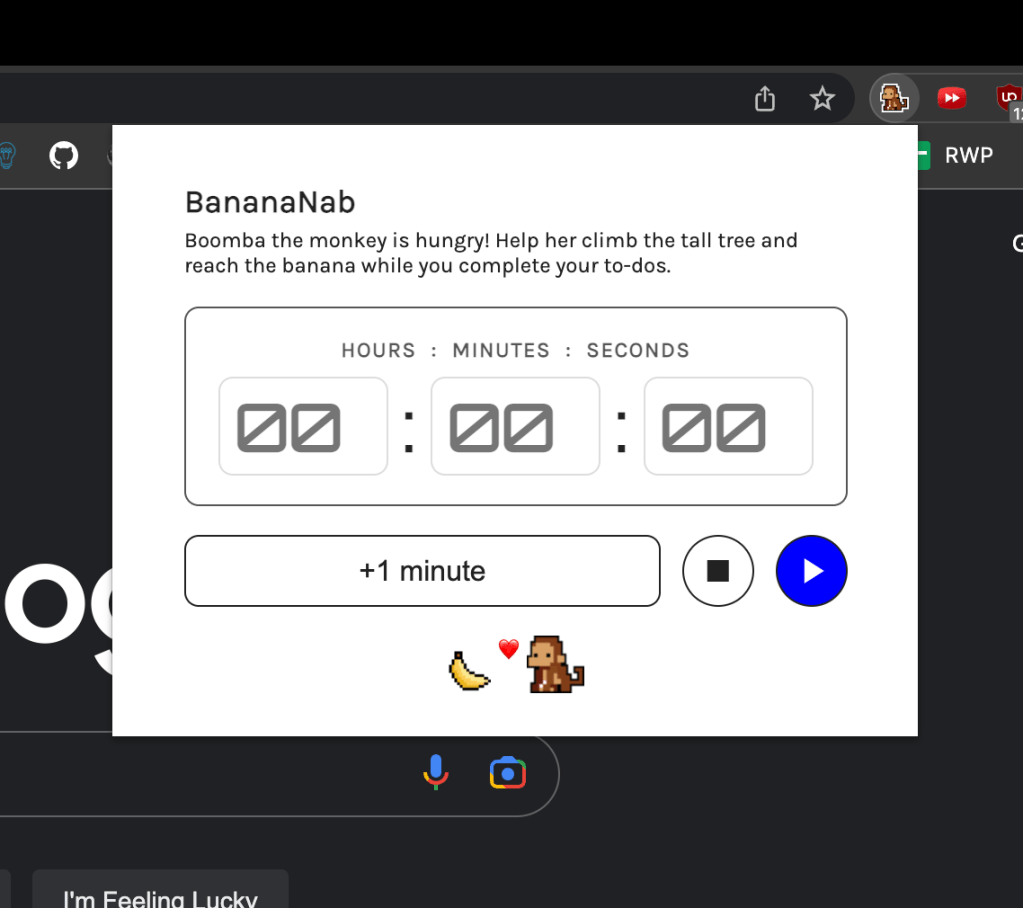
On-screen visualization. When the timer starts, the monkey moves from the bottom to the top of the screen according to the time passed. The monkey’s narrative and smooth journey to the top is meant to motivate the user and provide a fun element to time management. We decided to not use a numerical visualization, as its constant, abrupt visual changes could add distractions or stress for the user.


Evaluation
We recruited 6 individuals with ADHD to participate in our study where they have 20 minutes to read an article of our choosing and write a response. Our study consisted of two rounds:
1st Round: User uses the default timer on their phone.
2nd Round: User uses our prototype extension as their timer.
In each round, we measured the number of words and time remaining if any. We also asked for the user’s qualitative thoughts on their writing and the experience using the prototype. We wanted to identify if a visualization timer would motivate task completion and increase focus on the task.
See the paper included below for more details.
Final Deliverables
GitHub Repository
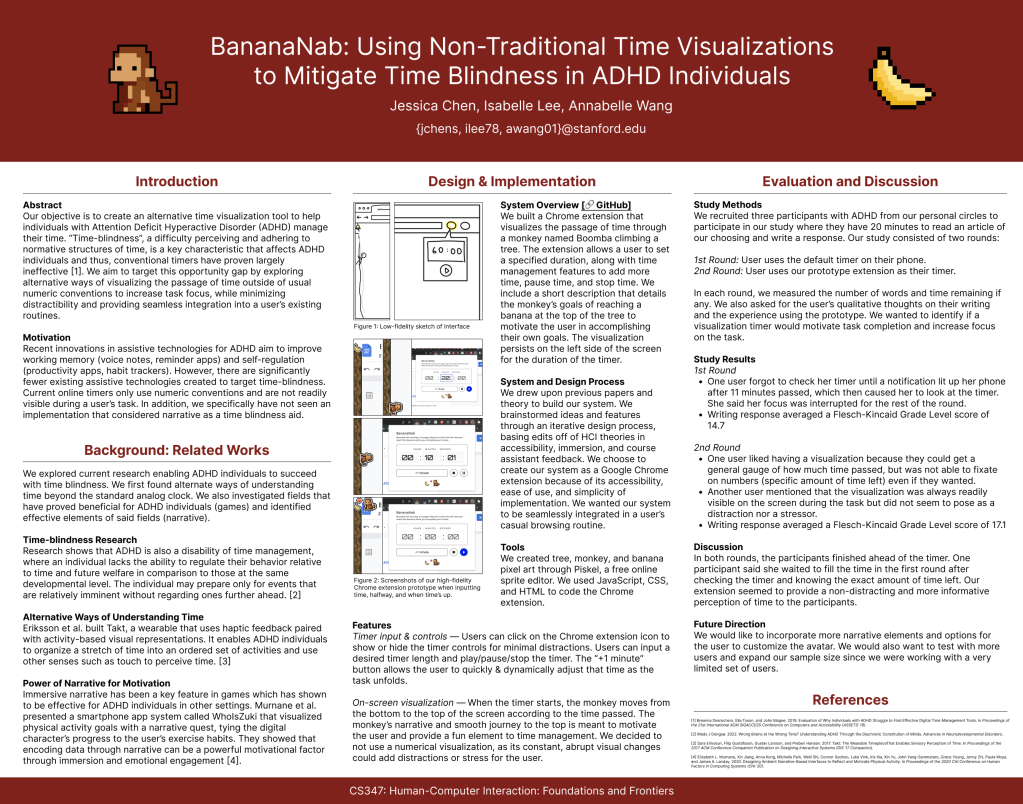
Project Poster
 Home
Home 